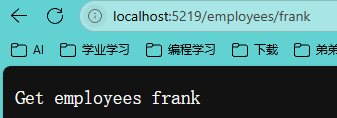
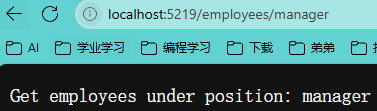
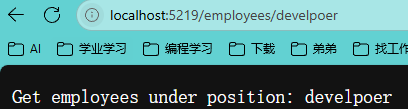
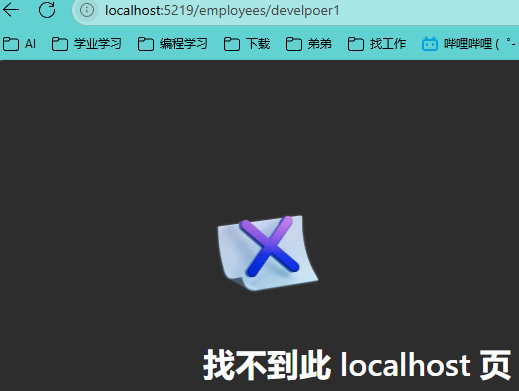
1、Routing和Endpoints简介 在ASP.NET Core中,**路由(Routing)和 终结点(Endpoints)**是处理HTTP请求的核心机制,它们共同构成了请求分发的管道系统。以下是对两者的详细介绍:
一、路由(Routing) 路由 的核心作用是将传入的HTTP请求根据URL路径和HTTP方法匹配到对应的处理逻辑(终结点)。在ASP.NET Core中,路由系统被称为终结点路由(Endpoint Routing) 。
主要功能与工作流程
匹配请求 :UseRouting中间件(即EndpointRoutingMiddleware)扫描应用中所有注册的终结点,根据请求的URL和HTTP方法选择最匹配的终结点 。示例代码:
1
2
3
4
5
app.UseRouting(); app.UseEndpoints(endpoints => { endpoints.MapGet("/" , async context => { ... }); });
路由模板与约束 :{controller}/{action}/{id?})和约束条件(如{id:int}),用于动态提取参数并验证格式 。例如:
1 endpoints.MapGet("weather/{city}/{days:int:range(1,4)}" , ...);
中间件协作 :
二、终结点(Endpoints) 终结点 是实际处理请求的执行单元,包含一个RequestDelegate委托和元数据(如路由信息、授权策略),最后返回响应。
核心特性
结构定义 :Endpoint类表示,包含以下关键属性:
1
2
3
4
5
public class Endpoint { public RequestDelegate RequestDelegate { get ; } public EndpointMetadataCollection Metadata { get ; } }
注册与执行 :UseEndpoints中间件(即EndpointMiddleware)注册终结点,并执行匹配到的终结点逻辑。示例:
1 endpoints.MapGet("/api/health" , () => "OK" );
灵活的应用场景 :
MVC控制器 :MapControllers()。
Razor Pages :MapRazorPages()。
SignalR :MapHub<ChatHub>()。
gRPC服务:MapGrpcService<OrderService>()。
三、路由与终结点的协作流程
中间件顺序:UseRouting必须位于UseEndpoints之前,且两者需配合使用。
请求处理步骤:
UseRouting选择终结点,并将结果存储在HttpContext中。
中间件(如认证、CORS)根据终结点元数据执行前置处理。
UseEndpoints调用终结点对应的RequestDelegate生成响应。
四、与传统路由的对比
传统路由 :
终结点路由:
五、实际应用示例 自定义终结点 1 2 3 4 5 app.MapGet("/custom" , (HttpContext context) => { var routeData = context.GetRouteData(); return $"Hello {routeData.Values["name" ]} " ; });
健康检查终结点 1 endpoints.MapHealthChecks("/healthz" ).RequireAuthorization();
总结 ASP.NET Core的路由系统 通过UseRouting和UseEndpoints实现了请求的分发与执行分离,而终结点 作为执行单元,提供了高度可扩展的元数据和约束机制。这种设计不仅支持MVC、Razor Pages等传统模式,还能无缝集成现代技术栈(如gRPC、SignalR),是构建灵活、高性能Web应用的核心基础。
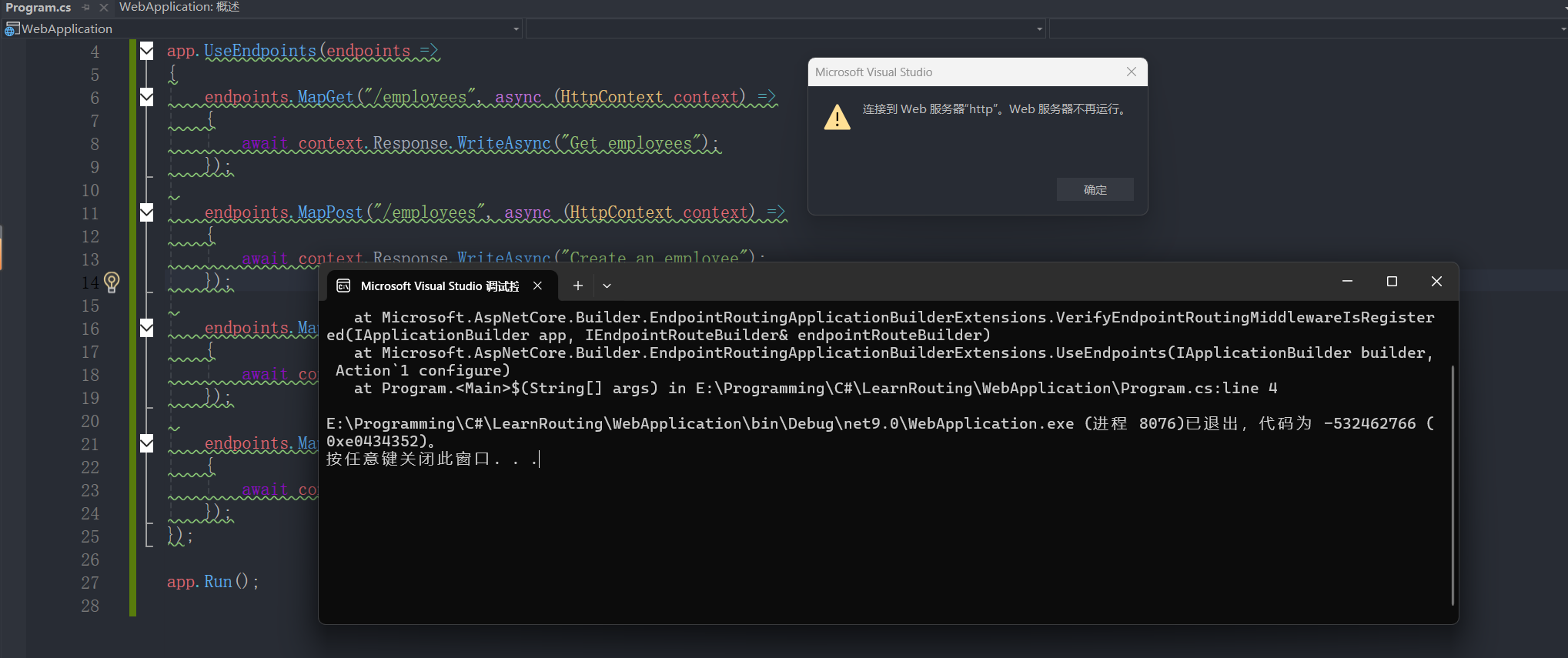
2、理解Endpoints 可以不写“UseEndpoints”,但是不能创建多个“UseEndpoints”。但下列代码中间件顺序冲突 ,EndpointRoutingMiddleware(由UseRouting()注册)负责终结点匹配,而EndpointMiddleware(由UseEndpoints()注册)负责执行终结点。必须先写EndpointRoutingMiddleware,后写EndpointMiddleware。若顺序颠倒或遗漏UseRouting(),会导致路由系统无法正确匹配终结点。
1 2 3 4 5 6 7 8 9 10 11 12 13 14 15 16 17 18 19 20 21 22 23 24 25 26 27 var builder = WebApplication.CreateBuilder(args );var app = builder.Build();app.UseEndpoints(endpoints => { endpoints.MapGet("/employees" , async (HttpContext context) => { await context.Response.WriteAsync("Get employees" ); }); endpoints.MapPost("/employees" , async (HttpContext context) => { await context.Response.WriteAsync("Create an employee" ); }); endpoints.MapPut("/employees" , async (HttpContext context) => { await context.Response.WriteAsync("Update an employee" ); }); endpoints.MapDelete("/employees" , async (HttpContext context) => { await context.Response.WriteAsync("Delete an employee" ); }); }); app.Run();
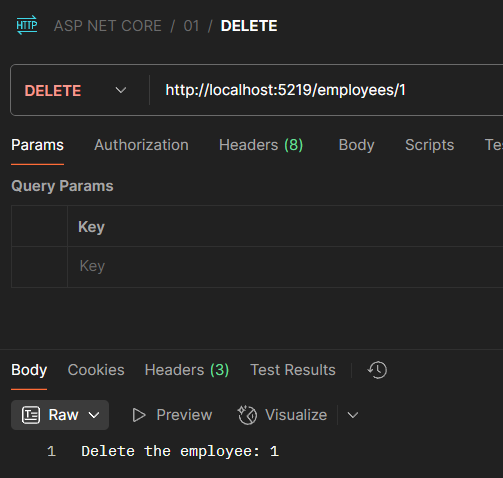
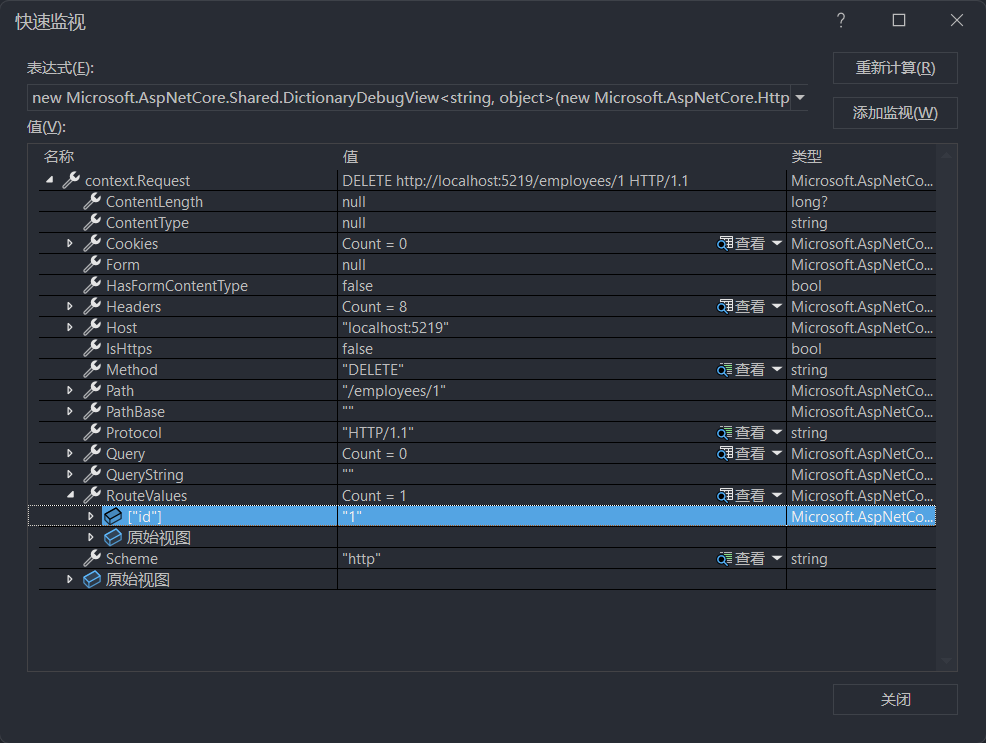
3、使用路由中间件组件 1 2 3 4 5 6 7 8 9 10 11 12 13 14 15 16 17 18 19 20 21 22 23 24 25 26 27 28 29 30 31 32 33 34 35 36 37 38 39 var builder = WebApplication.CreateBuilder(args );var app = builder.Build();app.Use(async (context, next) => { await next(context); }); app.UseRouting(); app.Use(async (context, next) => { await next(context); }); app.UseEndpoints(endpoints => { endpoints.MapGet("/employees" , async (HttpContext context) => { await context.Response.WriteAsync("Get employees" ); }); endpoints.MapPost("/employees" , async (HttpContext context) => { await context.Response.WriteAsync("Create an employee" ); }); endpoints.MapPut("/employees" , async (HttpContext context) => { await context.Response.WriteAsync("Update an employee" ); }); endpoints.MapDelete("/employees/{id}" , async (HttpContext context) => { await context.Response.WriteAsync($"Delete the employee: {context.Request.RouteValues["id" ]} " ); }); }); app.Run();
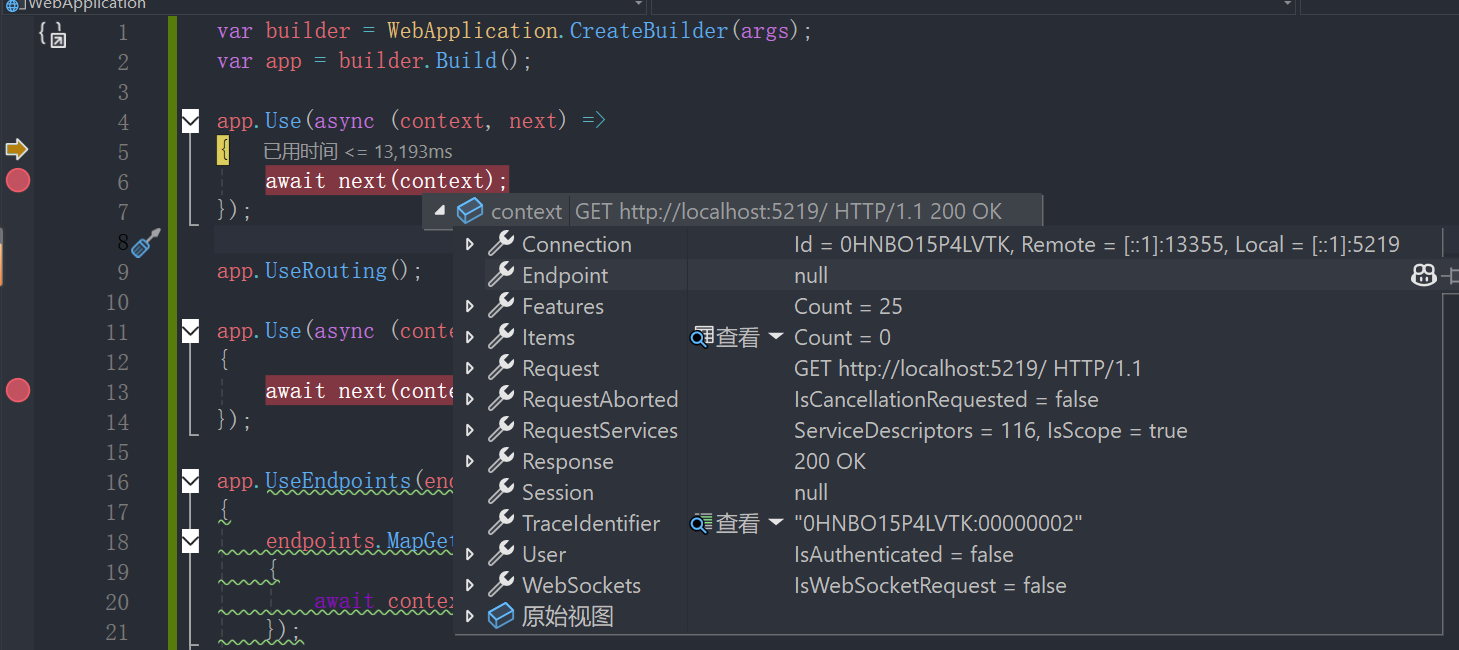
初次进入:
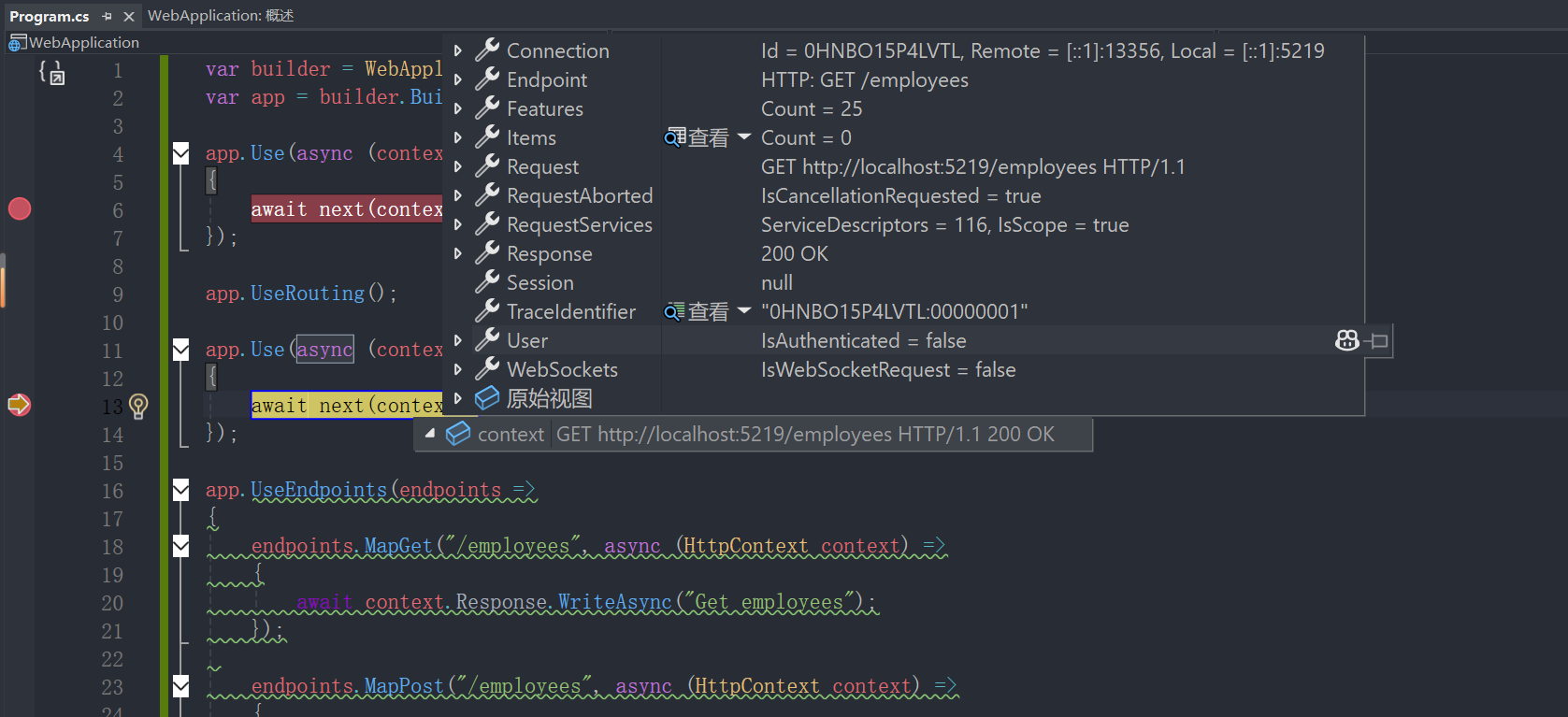
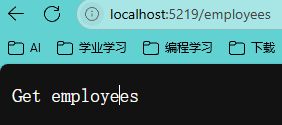
第二次进入
由上述内容可见,app.UseRouting()解析了路径与方法,从而能够确定合理的Endpoints
4、处理请求路由参数 1 2 3 4 5 6 7 8 9 10 11 12 13 14 15 16 17 18 19 20 21 22 23 24 25 26 27 28 29 30 31 32 33 34 35 36 37 38 39 var builder = WebApplication.CreateBuilder(args );var app = builder.Build();app.Use(async (context, next) => { await next(context); }); app.UseRouting(); app.Use(async (context, next) => { await next(context); }); app.UseEndpoints(endpoints => { endpoints.MapGet("/employees" , async (HttpContext context) => { await context.Response.WriteAsync("Get employees" ); }); endpoints.MapPost("/employees" , async (HttpContext context) => { await context.Response.WriteAsync("Create an employee" ); }); endpoints.MapPut("/employees" , async (HttpContext context) => { await context.Response.WriteAsync("Update an employee" ); }); endpoints.MapDelete("/employees/{id}" , async (HttpContext context) => { await context.Response.WriteAsync($"Delete the employee: {context.Request.RouteValues["id" ]} " ); }); }); app.Run();
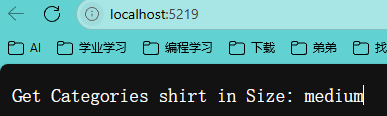
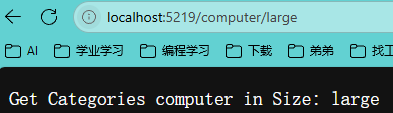
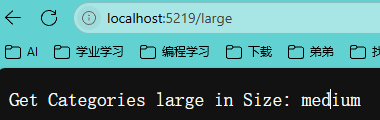
5、处理请求路由参数(默认值) 1 2 3 4 5 6 7 8 9 10 11 12 13 14 15 16 17 18 19 20 21 22 23 24 25 26 27 28 29 30 31 32 33 34 35 36 37 38 39 40 41 42 43 44 var builder = WebApplication.CreateBuilder(args );var app = builder.Build();app.Use(async (context, next) => { await next(context); }); app.UseRouting(); app.Use(async (context, next) => { await next(context); }); app.UseEndpoints(endpoints => { endpoints.MapGet("/employees" , async (HttpContext context) => { await context.Response.WriteAsync("Get employees" ); }); endpoints.MapPost("/employees" , async (HttpContext context) => { await context.Response.WriteAsync("Create an employee" ); }); endpoints.MapPut("/employees" , async (HttpContext context) => { await context.Response.WriteAsync("Update an employee" ); }); endpoints.MapDelete("/employees/{id}" , async (HttpContext context) => { await context.Response.WriteAsync($"Delete the employee: {context.Request.RouteValues["id" ]} " ); }); endpoints.MapGet("/{categories=shirt}/{size=medium}" , async (HttpContext context) => { await context.Response.WriteAsync($"Get Categories {context.Request.RouteValues["categories" ]} in Size: {context.Request.RouteValues["size" ]} " ); }); }); app.Run();
且路由参数是顺序填充的,你无法期望在仅对第二个参数使用指定值的情况下,要求第一个参数使用默认值
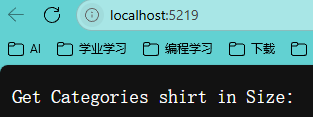
6、处理请求可选参数 如果不现实提供可选参数的值,他不会获得任何值,且这个参数就好像并未出现过。
1 2 3 4 5 6 7 8 9 10 11 12 13 14 15 16 17 18 19 20 21 22 23 24 25 26 27 28 29 30 31 32 33 34 35 36 37 38 39 40 41 42 43 44 var builder = WebApplication.CreateBuilder(args );var app = builder.Build();app.Use(async (context, next) => { await next(context); }); app.UseRouting(); app.Use(async (context, next) => { await next(context); }); app.UseEndpoints(endpoints => { endpoints.MapGet("/employees" , async (HttpContext context) => { await context.Response.WriteAsync("Get employees" ); }); endpoints.MapPost("/employees" , async (HttpContext context) => { await context.Response.WriteAsync("Create an employee" ); }); endpoints.MapPut("/employees" , async (HttpContext context) => { await context.Response.WriteAsync("Update an employee" ); }); endpoints.MapDelete("/employees/{id}" , async (HttpContext context) => { await context.Response.WriteAsync($"Delete the employee: {context.Request.RouteValues["id" ]} " ); }); endpoints.MapGet("/{categories=shirt}/{size?}" , async (HttpContext context) => { await context.Response.WriteAsync($"Get Categories {context.Request.RouteValues["categories" ]} in Size: {context.Request.RouteValues["size" ]} " ); }); }); app.Run();
且顺序依旧是必须参数/默认值参数/可选参数
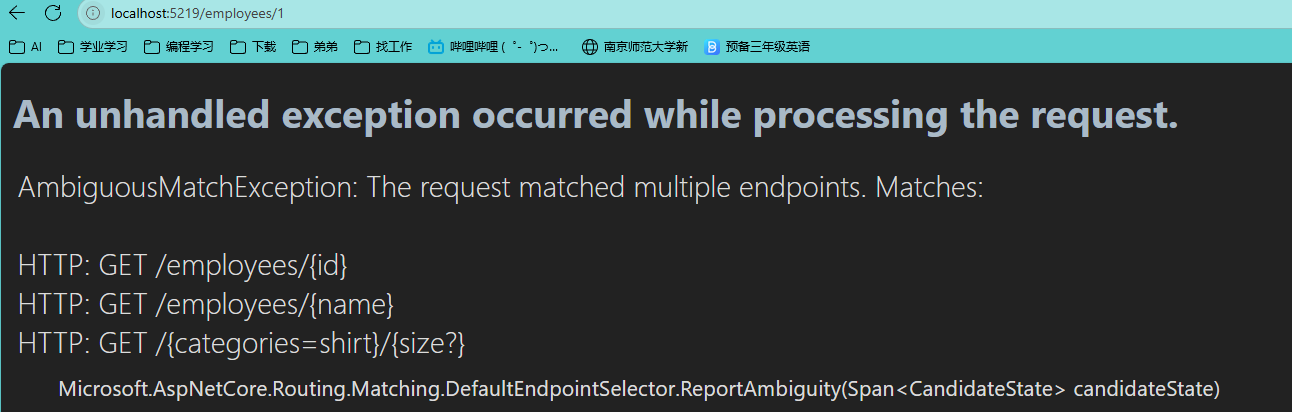
7、处理请求路由参数约束 如果有多个路径参数是一样的模板格式,在不添加约束的情况下,服务器将无法解析请求,也无法确认使用哪一个EndPoint。
1
2
3
4
5
6
7
8
9
10
11
12
13
14
15
16
17
18
19
20
21
22
23
24
25
26
27
28
29
var builder = WebApplication.CreateBuilder(args );var app = builder.Build();app.Use(async (context, next) => { await next(context); }); app.UseRouting(); app.Use(async (context, next) => { await next(context); }); app.UseEndpoints(endpoints => { endpoints.MapGet("/employees/{id}" , async (HttpContext context) => { await context.Response.WriteAsync($"Get employees {context.Request.RouteValues["categories" ]} " ); }); endpoints.MapGet("/employees/{name}" , async (HttpContext context) => { await context.Response.WriteAsync($"Get employees {context.Request.RouteValues["categories" ]} " ); }); }); app.Run();
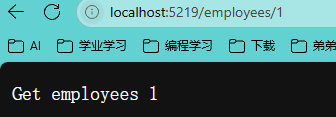
因此,需要添加约束以确保服务器在解析时能够进行正确对应。
1
2
3
4
5
6
7
8
9
10
11
12
13
14
15
16
17
18
19
20
21
22
23
24
25
26
27
28
29
var builder = WebApplication.CreateBuilder(args );var app = builder.Build();app.Use(async (context, next) => { await next(context); }); app.UseRouting(); app.Use(async (context, next) => { await next(context); }); app.UseEndpoints(endpoints => { endpoints.MapGet("/employees/{id:int}" , async (HttpContext context) => { await context.Response.WriteAsync($"Get employees {context.Request.RouteValues["id" ]} " ); }); endpoints.MapGet("/employees/{name}" , async (HttpContext context) => { await context.Response.WriteAsync($"Get employees {context.Request.RouteValues["name" ]} " ); }); }); app.Run();
路由参数约束在Web开发中主要用于对URL中的动态参数进行验证和限制,确保请求符合特定规则后再进入处理逻辑。其核心作用可总结为以下几点:
类型验证与格式控制 int、datetime等)或正则表达式,强制要求参数必须符合指定的数据类型或格式。例如,在ASP.NET Core中,使用{id:int}可确保id为整数,避免非数字参数触发错误处理逻辑。这种方式能直接在路由层过滤无效请求,减少后端逻辑的异常处理负担。
增强安全性与防止攻击 alpha约束限制参数仅包含字母字符,或通过正则表达式regex(^\d+$)确保参数为纯数字,避免意外字符导致的漏洞。
优化资源分配与性能 range(18,120)限制年龄参数范围,或minlength(5)要求最小字符串长度,直接返回404而非消耗服务器资源处理无效数据。
路由精准匹配与多方法重载 api/employee/10匹配整数参数的GetEmployeeDetails(int)方法,而api/employee/smith匹配字符串参数的版本,避免冲突。
支持自定义业务规则扩展 IRouteConstraint接口创建自定义约束,例如检查参数是否为有效邮政编码或符合特定业务状态。
总结来看,路由参数约束通过预验证机制,在请求进入业务逻辑前完成初步过滤,是提升API健壮性、安全性和维护性的重要手段。
8、处理请求路由参数自定义约束 1 2 3 4 5 6 7 8 9 10 11 12 13 14 15 16 17 18 19 20 21 22 23 24 25 26 27 28 29 30 31 32 33 34 35 36 37 38 39 40 41 42 43 44 45 46 47 48 49 50 51 52 53 54 55 56 57 58 59 60 61 62 63 64 65 66 67 68 69 70 71 72 73 74 75 76 var builder = WebApplication.CreateBuilder(args );builder.Services.AddRouting(options => { options.ConstraintMap.Add("pos" , typeof (PositionConstraint)); }); var app = builder.Build();app.Use(async (context, next) => { await next(context); }); app.UseRouting(); app.Use(async (context, next) => { await next(context); }); app.UseEndpoints(endpoints => { endpoints.MapGet("/employees/{position:pos}" , async (HttpContext context) => { await context.Response.WriteAsync($"Get employees under position: {context.Request.RouteValues["position" ]} " ); }); }); app.Run(); class PositionConstraint : IRouteConstraint { public bool Match (HttpContext? httpContext, IRouter? route, string routeKey, RouteValueDictionary values, RouteDirection routeDirection ) { if (!values.ContainsKey(routeKey)) return false ; if (values[routeKey] is null ) return false ; if (values[routeKey].ToString().Equals("manager" , StringComparison.OrdinalIgnoreCase) || values[routeKey].ToString().Equals("develpoer" , StringComparison.OrdinalIgnoreCase)) return true ; return false ; } }
9、使用请求路由参数实现CRUD 1.Employee 1 2 3 4 5 6 7 8 9 10 11 12 13 14 15 16 17 18 19 20 21 22 23 24 25 26 27 28 29 30 31 32 33 34 35 36 37 38 39 40 41 42 43 44 namespace WebApplication.Models { public class Employee { public int Id { get ; set ; } public string Name { get ; set ; } public string Position { get ; set ; } public double Salary { get ; set ; } public Employee (int id, string name, string position, double salary { Id = id; Name = name; Position = position; Salary = salary; } } }
2.EmployeesRepository 1 2 3 4 5 6 7 8 9 10 11 12 13 14 15 16 17 18 19 20 21 22 23 24 25 26 27 28 29 30 31 32 33 34 35 36 37 38 39 40 41 42 43 44 45 46 47 48 49 50 51 52 53 54 55 56 57 58 59 60 61 62 63 64 65 66 67 68 69 70 71 72 73 74 75 76 77 78 79 80 81 82 83 84 85 86 87 88 namespace WebApplication.Models { public static class EmployeesRepository { private static List<Employee> employees = new List<Employee> { new Employee(1 , "John Doe" , "Engineer" , 60000 ), new Employee(2 , "Jane Smith" , "Manager" , 75000 ), new Employee(3 , "Sam Brown" , "Technician" , 50000 ) }; public static List<Employee> GetEmployees () public static Employee? GetEmployeeById(int id) { return employees.FirstOrDefault(x => x.Id == id); } public static void AddEmployee (Employee? employee ) { if (employee is not null ) { employees.Add(employee); } } public static bool UpdateEmployee (Employee? employee ) { if (employee is not null ) { var emp = employees.FirstOrDefault(x => x.Id == employee.Id); if (emp is not null ) { emp.Name = employee.Name; emp.Position = employee.Position; emp.Salary = employee.Salary; return true ; } } return false ; } public static bool DeleteEmployee (int id { var employee = employees.FirstOrDefault(x => x.Id == id); if (employee is not null ) { employees.Remove(employee); return true ; } return false ; } } }
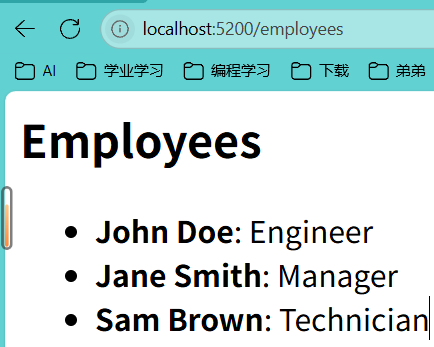
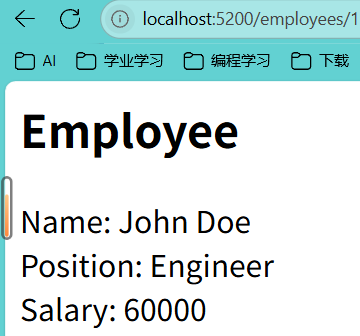
3.Program 1 2 3 4 5 6 7 8 9 10 11 12 13 14 15 16 17 18 19 20 21 22 23 24 25 26 27 28 29 30 31 32 33 34 35 36 37 38 39 40 41 42 43 44 45 46 47 48 49 50 51 52 53 54 55 56 57 58 59 60 61 62 63 64 65 66 67 68 69 70 71 72 73 74 75 76 77 78 79 80 81 82 83 84 85 86 87 88 89 90 91 92 93 94 95 96 97 98 99 100 101 102 103 104 105 106 107 108 109 110 111 112 113 114 115 116 117 118 119 120 121 122 123 124 125 126 127 128 129 130 131 132 133 134 135 136 137 138 139 140 141 142 143 144 145 146 147 148 149 150 151 152 153 154 155 156 157 158 159 160 161 using System.Text.Json;using WebApp.Models;var builder = WebApplication.CreateBuilder(args );var app = builder.Build();app.UseRouting(); app.UseEndpoints(endpoints => { endpoints.MapGet("/" , async (HttpContext context) => { await context.Response.WriteAsync("Welcome to the home page." ); }); endpoints.MapGet("/employees" , async (HttpContext context) => { var employees = EmployeesRepository.GetEmployees(); context.Response.ContentType = "text/html" ; await context.Response.WriteAsync("<h2>Employees</h2>" ); await context.Response.WriteAsync("<ul>" ); foreach (var employee in employees) { await context.Response.WriteAsync($"<li><b>{employee.Name} </b>: {employee.Position} </li>" ); } await context.Response.WriteAsync("</ul>" ); }); endpoints.MapGet("/employees/{id:int}" , async (HttpContext context) => { var id = context.Request.RouteValues["id" ]; var employeeId = int .Parse(id.ToString()); var employee = EmployeesRepository.GetEmployeeById(employeeId); context.Response.ContentType = "text/html" ; await context.Response.WriteAsync("<h2>Employee</h2>" ); if (employee is not null ) { await context.Response.WriteAsync($"Name: {employee.Name} <br/>" ); await context.Response.WriteAsync($"Position: {employee.Position} <br/>" ); await context.Response.WriteAsync($"Salary: {employee.Salary} <br/>" ); } else { context.Response.StatusCode = 404 ; await context.Response.WriteAsync("Employee not found." ); } }); endpoints.MapPost("/employees" , async (HttpContext context) => { using var reader = new StreamReader(context.Request.Body); var body = await reader.ReadToEndAsync(); try { var employee = JsonSerializer.Deserialize<Employee>(body); if (employee is null || employee.Id <= 0 ) { context.Response.StatusCode = 400 ; return ; } EmployeesRepository.AddEmployee(employee); context.Response.StatusCode = 201 ; await context.Response.WriteAsync("Employee added successfully." ); } catch (Exception ex) { context.Response.StatusCode = 400 ; await context.Response.WriteAsync(ex.ToString()); return ; } }); endpoints.MapPut("/employees" , async (HttpContext context) => { using var reader = new StreamReader(context.Request.Body); var body = await reader.ReadToEndAsync(); var employee = JsonSerializer.Deserialize<Employee>(body); var result = EmployeesRepository.UpdateEmployee(employee); if (result) { context.Response.StatusCode = 204 ; await context.Response.WriteAsync("Employee updated successfully." ); return ; } else { await context.Response.WriteAsync("Employee not found." ); } }); endpoints.MapDelete("/employees/{id}" , async (HttpContext context) => { var id = context.Request.RouteValues["id" ]; var employeeId = int .Parse(id.ToString()); if (context.Request.Headers["Authorization" ] == "frank" ) { var result = EmployeesRepository.DeleteEmployee(employeeId); if (result) { await context.Response.WriteAsync("Employee is deleted successfully." ); } else { context.Response.StatusCode = 404 ; await context.Response.WriteAsync("Employee not found." ); } } else { context.Response.StatusCode = 401 ; await context.Response.WriteAsync("You are not authorized to delete." ); } }); }); app.Run();