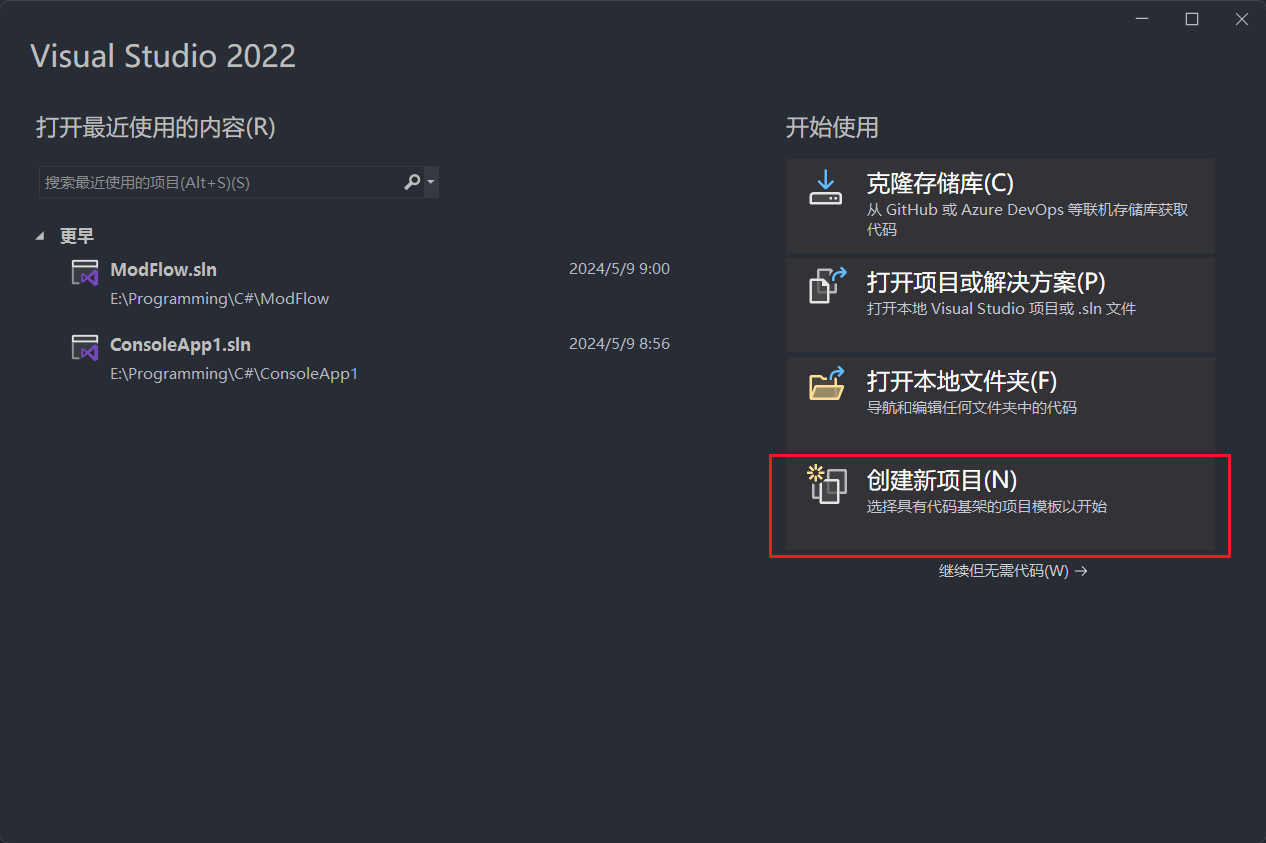
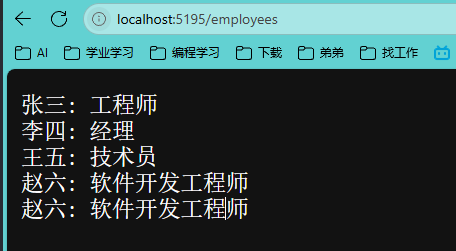
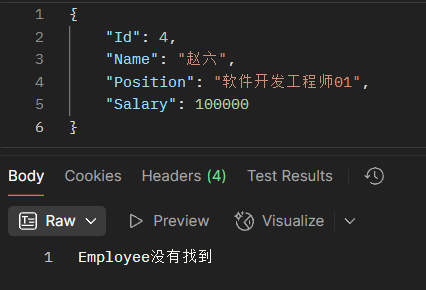
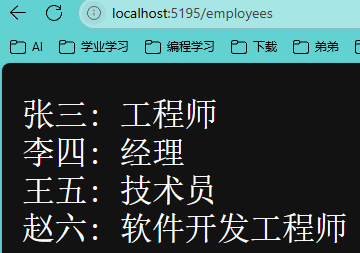
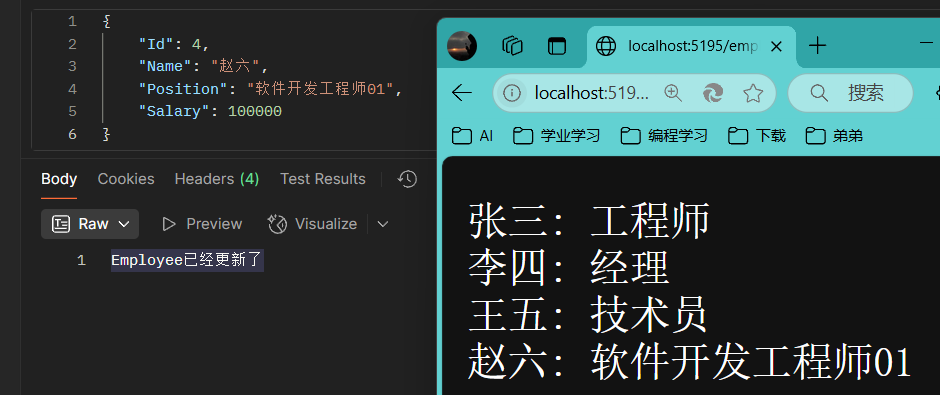
1、创建第一个ASP.NET应用(Minimal API) 1.创建新项目
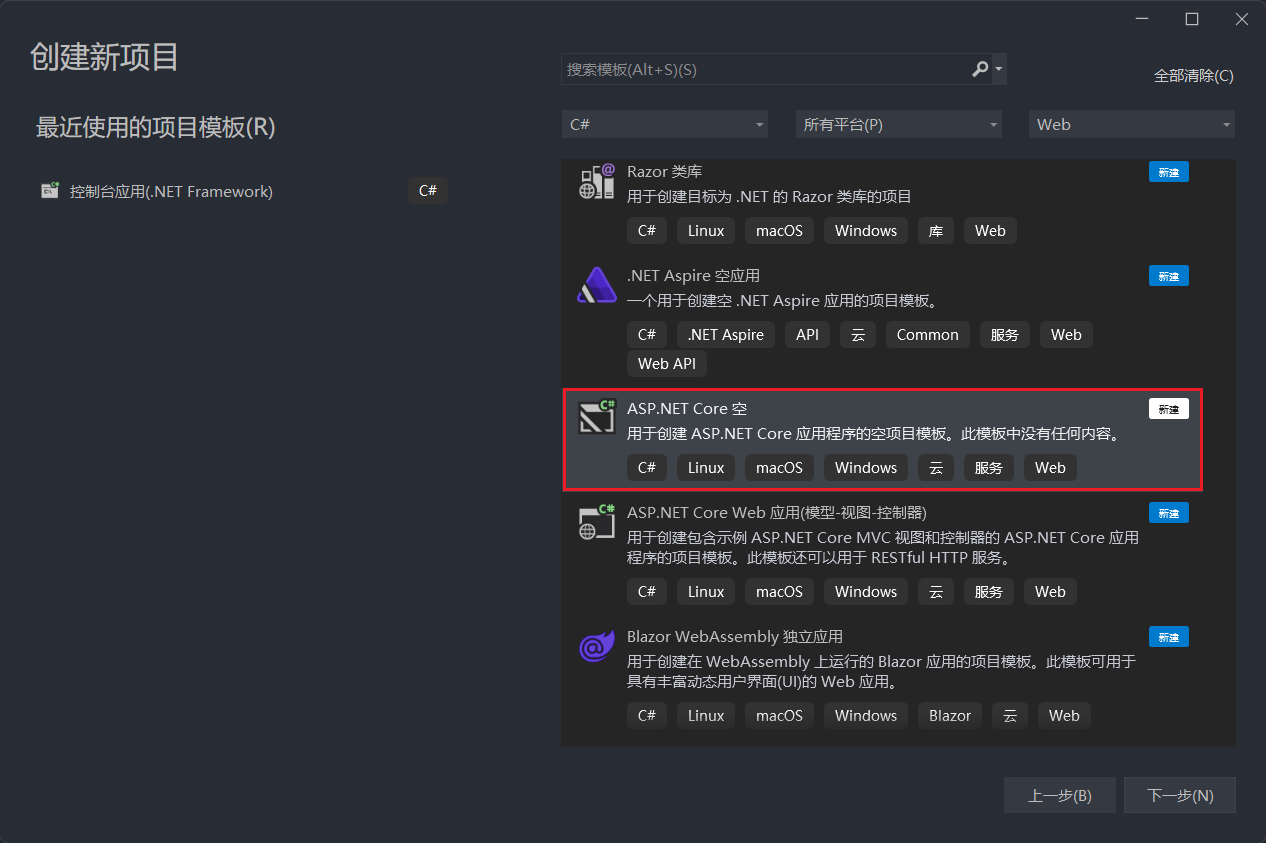
选择新的空项目
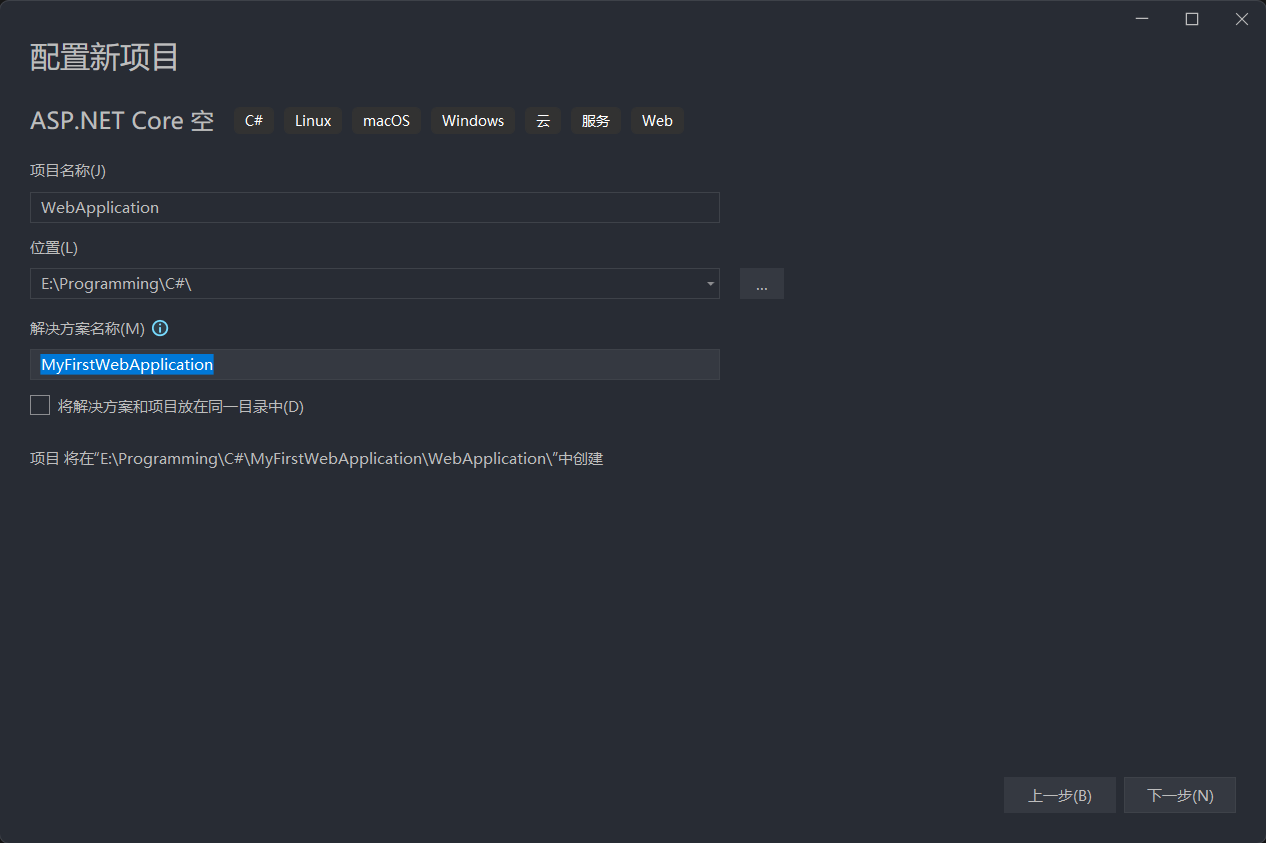
设定基本信息
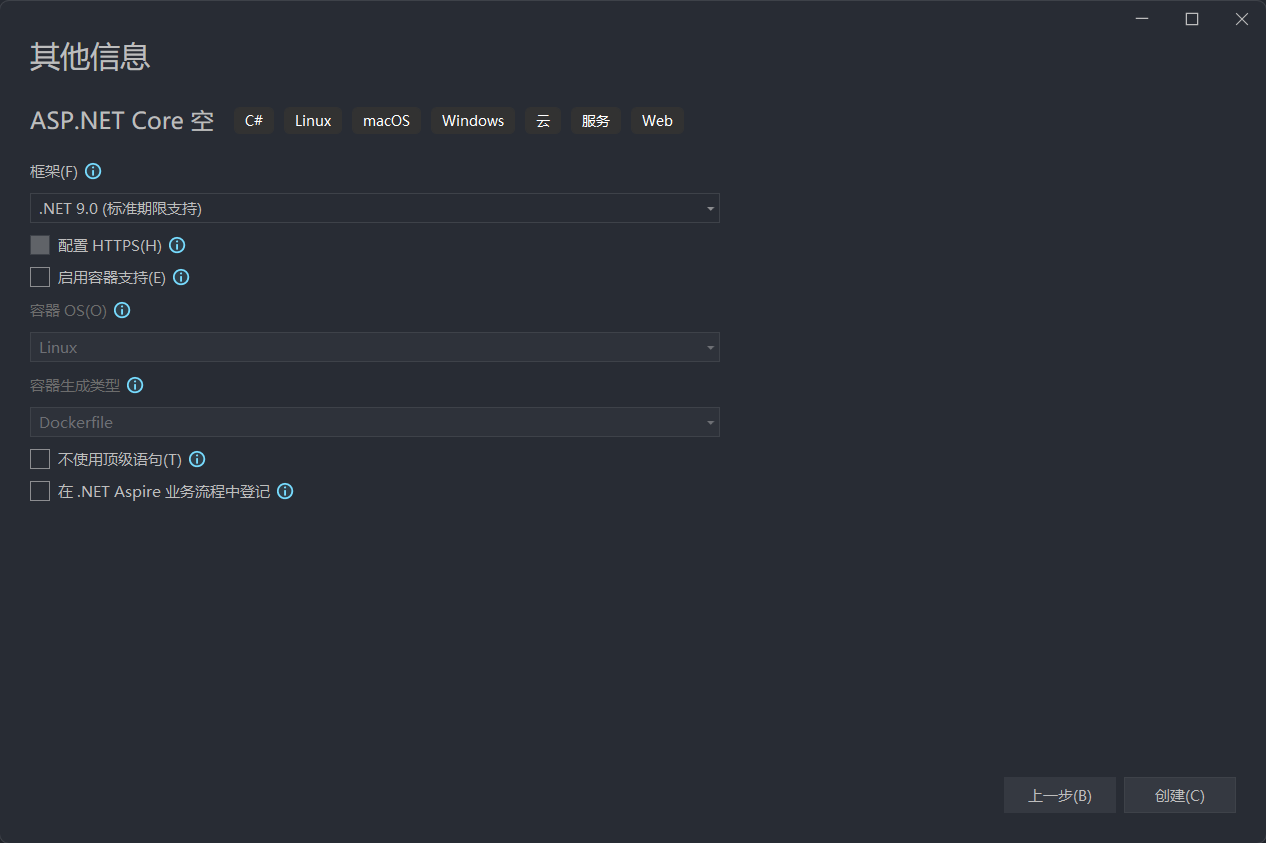
使用最新版.NET作为学习内容
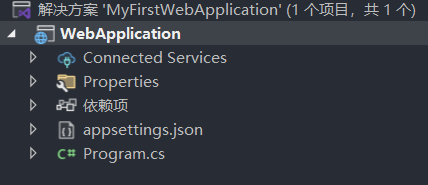
2.项目架构简介与解析
1. 解决方案(Solution)
名称 :MyFirstWebApplication作用:
作为容器管理多个相关项目(当前仅包含一个项目 WebApplication)。
支持团队协作和复杂应用的模块化开发(如Web API、类库、单元测试等)。
关键点:
可通过解决方案配置统一管理所有项目的依赖和环境设置。
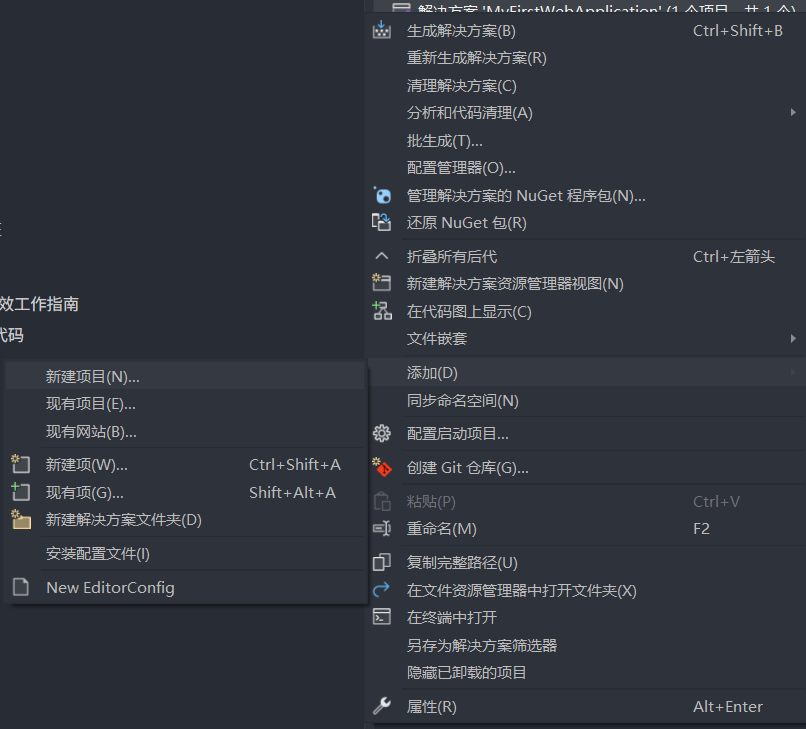
新增项目
2. 项目(Project: WebApplication)
核心结构 :
a. Connected Services 文件夹
作用:
存储与外部服务的连接配置(如数据库、Azure服务、第三方API)。
通过右键添加服务(如Entity Framework、Azure认证),自动生成连接配置文件。
示例 :
b. Properties 文件夹
核心文件:
launchSettings.json:
定义应用启动时的配置,如默认端口、环境变量(Development/Production)。
可配置多环境启动配置(如IIS、本地Kestrel服务器)。
其他属性文件 :如程序集信息(AssemblyInfo.cs)。
c. 依赖项(Dependencies)
作用:
列出项目依赖的NuGet包(如 Microsoft.AspNetCore.All、数据库驱动程序)。
通过NuGet包管理器可添加/更新依赖库。
关键包示例:
Microsoft.EntityFrameworkCore(数据库操作)。Swashbuckle.AspNetCore(Swagger API文档)。
d. appsettings.json
作用:
应用程序的通用配置文件,以JSON格式存储非敏感配置。
支持环境特定覆盖(如 appsettings.Development.json 覆盖开发环境配置)。
典型配置:
数据库连接字符串("ConnectionStrings": { "DefaultConnection": "..." })。
日志级别("Logging": { "LogLevel": { ... } })。
第三方服务API密钥。
e. Program.cs
核心功能:
应用程序入口点 :定义主机(Host)的创建和配置流程。关键代码逻辑:
使用 WebApplicationBuilder 配置服务(如中间件、依赖注入容器)。
添加中间件管道(如路由、身份验证、静态文件服务)。
使用 builder.Configuration 加载 appsettings.json 配置。
启动Web服务器(如Kestrel)。
示例代码片段:
1
2
3
4
5
6
var builder = WebApplication.CreateBuilder(args );builder.Services.AddControllersWithViews(); var app = builder.Build();app.UseRouting(); app.UseEndpoints(endpoints => endpoints.MapControllers()); app.Run();
初始化代码片段:
1
2
3
4
var builder = WebApplication.CreateBuilder(args );var app = builder.Build();app.MapGet("/" , () => "Hello World!" ); app.Run();
1. var builder = WebApplication.CreateBuilder(args);
作用 :创建一个 WebApplicationBuilder 对象,用于配置ASP.NET Core应用。关键点:
WebApplicationBuilderargs:命令行参数,用于传递运行时配置(如环境变量、端口等)。例如:dotnet run --environment Production --urls "http://localhost:5001",这些参数会被builder自动解析。默认配置:
加载 appsettings.json 及环境特定配置(如 appsettings.Development.json)。
注册默认服务(如日志、配置系统)。
配置环境(如 Development 或 Production)。
2. var app = builder.Build();
作用 :根据 builder 的配置构建一个 WebApplication 实例。关键点:
WebApplication构建过程:
注册所有通过 builder.Services 添加的服务到DI容器。
初始化中间件管道(如路由、异常处理等默认中间件)。
加载配置文件(如 appsettings.json)。
3. app.MapGet("/", () => "Hello World!");
作用 :定义一个处理HTTP GET请求的路由,当访问根路径 / 时返回字符串 "Hello World!"。(中间件管道,仅在Kestrel 服务器接受请求时执行)关键点:
MapGet路由规则:
路径 :/ 表示根路径,对应浏览器访问 http://localhost:5000/。处理逻辑 :Lambda表达式 () => "Hello World!" 直接返回字符串作为响应体。
响应类型 :默认返回 text/plain 类型的响应。
4. app.Run();
作用 :启动Web服务器并开始监听HTTP请求。关键点:
启动服务器 :默认使用内置的Kestrel服务器(跨平台)。阻塞主线程 :该方法会阻塞当前线程,直到应用停止(如按 Ctrl+C)。中间件执行 :所有注册的中间件(包括路由和自定义中间件)会按顺序处理请求。
完整流程图解 1 用户请求 → Kestrel接收请求 → 路由匹配(/) → 执行Lambda表达式 → 返回"Hello World!" → 响应客户端
关键概念扩展 1. WebApplicationBuilder 的作用 2. 路由与端点(Endpoints) 3. 中间件管道
默认中间件包括:
路由处理 :UseRouting()静态文件服务 :UseStaticFiles()异常处理 :UseExceptionHandler()
可通过 app.Use
自定义中间件:
1 2 3 4 5 app.Use(async (context, next) => { await context.Response.WriteAsync("Before processing...\n"); await next(); // 继续后续中间件 await context.Response.WriteAsync("\nAfter processing!"); });
完整示例代码 1 2 3 4 5 6 7 8 9 10 11 12 13 14 15 16 17 18 19 20 var builder = WebApplication.CreateBuilder(args); // 注册服务(如数据库上下文) builder.Services.AddDbContext<MyDbContext>(options => options.UseSqlServer(builder.Configuration.GetConnectionString("Default"))); // 配置中间件 var app = builder.Build(); // 定义路由 app.MapGet("/", () => "Hello World!"); app.MapGet("/api/todos", (MyDbContext db) => db.Todos.ToList()); // 使用DI服务 // 启用Swagger(需安装NSwag包) if (app.Environment.IsDevelopment()) { app.UseOpenApi(); app.UseSwaggerUi(); } app.Run();
常见问题解答 Q1: 如何自定义端口?
方法1:通过命令行:
1 dotnet run --urls "http://localhost:5001"
方法2:在代码中设置:
1 2 3 var builder = WebApplication.CreateBuilder(args); var app = builder.Build(); app.Urls.Add("http://localhost:5001"); // 添加多个端口
Q2: 如何添加控制器?
步骤:
注册控制器服务:
1 builder.Services.AddControllers();
定义控制器:
1 2 3 4 5 6 [ApiController] [Route("[controller]")] public class TodoController : ControllerBase { [HttpGet] public IActionResult Get() => Ok("From Controller!"); }
配置路由:
1 app.MapControllers(); // 启用控制器路由
Q3: 如何处理POST请求?
1 2 3 4 app.MapPost("/api/todos", (Todo todo) => { // 处理POST数据(如保存到数据库) return Results.Created($"/todos/{todo.Id}", todo); });
总结 这段代码展示了ASP.NET Core的最小API模式 (Minimal API),通过简洁的代码实现了:
快速启动 :无需复杂配置即可运行。路由定义 :通过 MapGet/MapPost 等方法直接绑定HTTP方法和路径。依赖注入 :支持通过参数注入服务(如数据库上下文)。跨平台运行 :使用Kestrel服务器,支持Windows/Linux/macOS。
此模式适合快速开发小型API或原型,而复杂应用可通过扩展服务、中间件和控制器进一步增强功能。
3. 依赖注入(Dependency Injection, DI)
作用:
通过 Program.cs 中的 builder.Services 配置服务注册(如数据库上下文、自定义服务)。
实现松耦合设计,便于测试和维护。
示例:
1 2 builder.Services.AddDbContext<MyDbContext>(options => options.UseSqlServer(builder.Configuration.GetConnectionString("DefaultConnection" )));
4. 环境配置
多环境支持:
默认环境为 Development(开发环境)。
通过环境变量 ASPNETCORE_ENVIRONMENT 切换环境(如Production)。
环境特定配置文件(如 appsettings.Production.json)会覆盖通用配置。
5. 代码与资源组织
视图(Views):
若使用MVC模式,存放HTML/Razor视图文件(如 Views/Home/Index.cshtml)。
控制器(Controllers):
处理HTTP请求的业务逻辑(如 HomeController.cs)。
静态资源:
存放CSS、JS、图片等静态文件(默认通过 app.UseStaticFiles() 访问)。
架构协作流程
启动阶段:
Program.cs 加载 appsettings.json 配置,注册服务到DI容器,构建中间件管道。
运行阶段:
接收HTTP请求 → 通过中间件处理(路由、认证等) → 调用控制器/服务 → 返回响应。
配置管理:
appsettings.json 提供基础配置,环境特定文件实现灵活覆盖。
外部服务集成:
通过 Connected Services 管理数据库、云服务等连接,配置通过 appsettings.json 传递。
总结 该架构通过以下方式实现高效开发:
模块化 :解决方案和项目分离关注点,便于扩展。配置解耦 :appsettings.json 和环境配置分离代码与配置。依赖管理 :NuGet包和DI容器简化第三方库和内部服务的集成。可维护性 :清晰的文件结构(如 Properties、Connected Services)提升代码可读性。
此结构是ASP.NET Core项目的标准模板,适用于快速构建Web应用、API等。
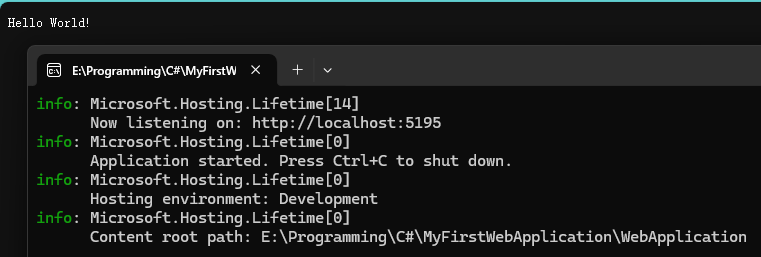
3.执行结果
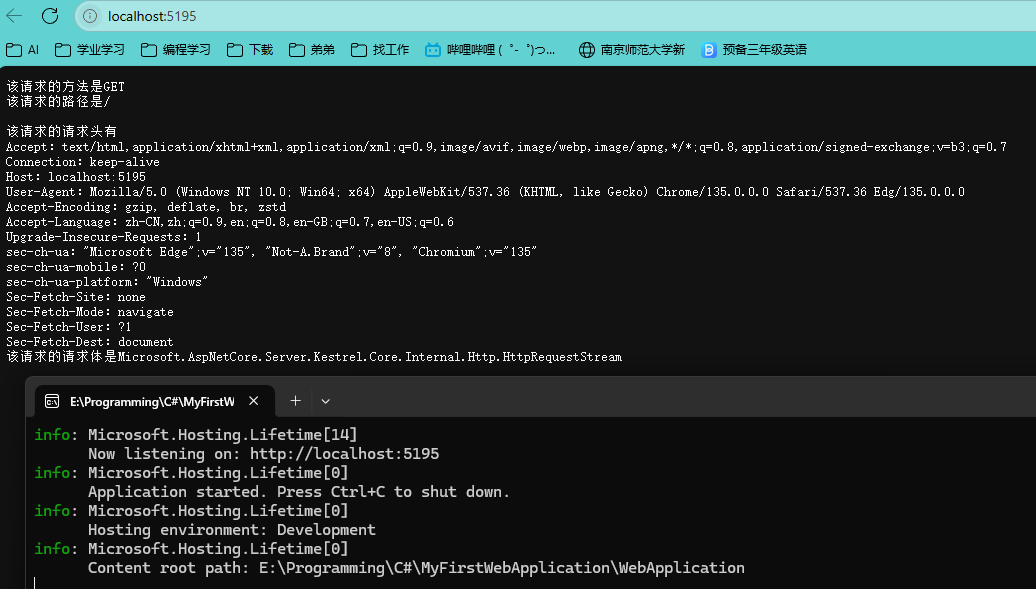
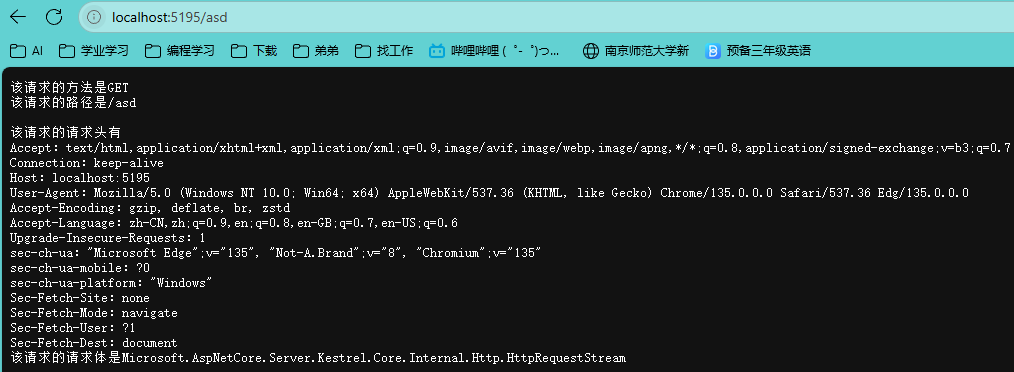
2、ASP.NET应用(HttpContext) 1 2 3 4 5 6 7 8 9 10 11 12 13 14 15 var builder = WebApplication.CreateBuilder(args );var app = builder.Build();app.Run(async (HttpContext context) => { context.Response.ContentType = "text/plain; charset=utf-8" ; await context.Response.WriteAsync($"该请求的方法是{context.Request.Method} \r\n" ); await context.Response.WriteAsync($"该请求的路径是{context.Request.Path} \r\n" ); await context.Response.WriteAsync($"\r\n该请求的请求头有\r\n" ); foreach (var key in context.Request.Headers.Keys) { await context.Response.WriteAsync($"{key} :{context.Request.Headers[key]} \r\n" ); } await context.Response.WriteAsync($"该请求的请求体是{context.Request.Body} \r\n" ); }); app.Run();
一、代码结构解析
宿主构建流程
请求处理管道
二、核心功能解析
编码设置
1 context.Response.ContentType = "text/plain; charset=utf-8" ;
请求信息输出
方法类型 :context.Request.Method 获取HTTP动词(GET/POST等)
请求路径 :context.Request.Path 解析URL路径
请求头遍历 :通过Headers.Keys遍历所有请求头键值对
请求体处理:当前直接输出Body对象,实际需用StreamReader读取内容
三、优化建议
请求体读取改进
1 2 3 4 context.Request.EnableBuffering(); using var reader = new StreamReader(context.Request.Body);var bodyContent = await reader.ReadToEndAsync();context.Request.Body.Position = 0 ;
功能扩展建议
四、运行流程图解 1 HTTP请求 → Kestrel服务器 → 中间件管道 → 自定义处理逻辑 → 返回响应
该流程体现了ASP.NET Core的请求处理管道模式,每个请求都会经过注册的中间件组件
五、注意事项
编码一致性
性能影响
同步写响应(WriteAsync)可能影响吞吐量,建议批量生成响应内容
频繁的字符串拼接可改用StringBuilder
此代码可作为请求调试工具使用,完整项目建议采用分层架构(控制器/服务层分离)
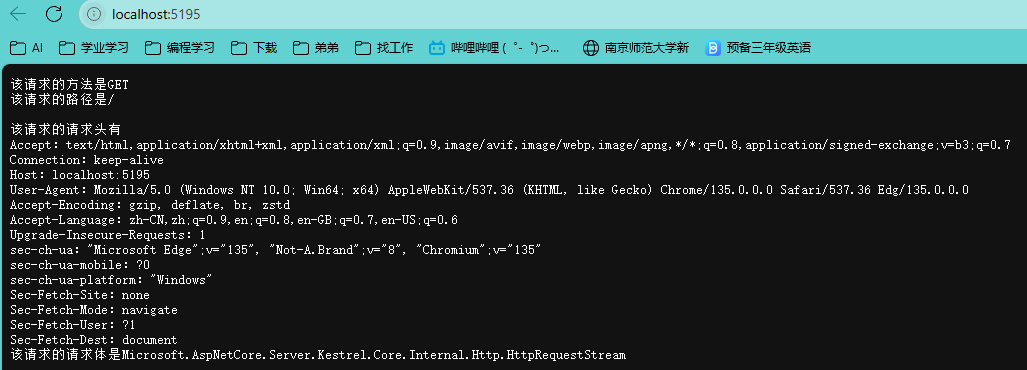
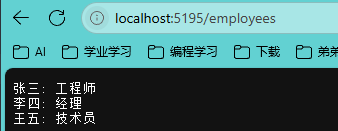
3、ASP.NET应用(Http GET) 1 2 3 4 5 6 7 8 9 10 11 12 13 14 15 16 17 18 19 20 21 22 23 24 25 26 27 28 29 30 31 32 33 34 35 36 37 38 39 40 41 42 43 44 45 46 47 48 49 50 51 52 53 54 55 56 57 58 59 var builder = WebApplication.CreateBuilder(args );var app = builder.Build();app.Run(async (HttpContext context) => { context.Response.ContentType = "text/plain; charset=utf-8" ; if (context.Request.Method == "GET" ) { if (context.Request.Path.StartsWithSegments("/" )) { await context.Response.WriteAsync($"该请求的方法是{context.Request.Method} \r\n" ); await context.Response.WriteAsync($"该请求的路径是{context.Request.Path} \r\n" ); await context.Response.WriteAsync($"\r\n该请求的请求头有\r\n" ); foreach (var key in context.Request.Headers.Keys) { await context.Response.WriteAsync($"{key} :{context.Request.Headers[key]} \r\n" ); } await context.Response.WriteAsync($"该请求的请求体是{context.Request.Body} \r\n" ); } else if (context.Request.Path.StartsWithSegments("/employees" )){ var employees = EmployeesRepository.GetEmployees(); foreach (var employee in employees) { await context.Response.WriteAsync($"{employee.Name} : {employee.Position} \r\n" ); } } } }); app.Run(); static class EmployeesRepository { private static List<Employee> employees = new List<Employee> { new Employee(1 , "张三" , "工程师" , 60000 ), new Employee(2 , "李四" , "经理" , 75000 ), new Employee(3 , "王五" , "技术员" , 50000 ) }; public static List<Employee> GetEmployees () } public class Employee { public int Id { get ; set ; } public string Name { get ; set ; } public string Position { get ; set ; } public double Salary { get ; set ; } public Employee (int id, string name, string position, double salary { Id = id; Name = name; Position = position; Salary = salary; } }
# 4、ASP.NET应用(Http POST)
1 2 3 4 5 6 7 8 9 10 11 12 13 14 15 16 17 18 19 20 21 22 23 24 25 26 27 28 29 30 31 32 33 34 35 36 37 38 39 40 41 42 43 44 45 46 47 48 49 50 51 52 53 54 55 56 57 58 59 60 61 62 63 64 65 66 67 68 69 70 71 72 73 74 75 76 77 78 79 80 81 using System.Text.Json;var builder = WebApplication.CreateBuilder(args );var app = builder.Build();app.Run(async (HttpContext context) => { context.Response.ContentType = "text/plain; charset=utf-8" ; if (context.Request.Method == "GET" ) { if (context.Request.Path.StartsWithSegments("/" )) { await context.Response.WriteAsync($"该请求的方法是{context.Request.Method} \r\n" ); await context.Response.WriteAsync($"该请求的路径是{context.Request.Path} \r\n" ); await context.Response.WriteAsync($"\r\n该请求的请求头有\r\n" ); foreach (var key in context.Request.Headers.Keys) { await context.Response.WriteAsync($"{key} :{context.Request.Headers[key]} \r\n" ); } await context.Response.WriteAsync($"该请求的请求体是{context.Request.Body} \r\n" ); } else if (context.Request.Path.StartsWithSegments("/employees" )) { var employees = EmployeesRepository.GetEmployees(); foreach (var employee in employees) { await context.Response.WriteAsync($"{employee.Name} : {employee.Position} \r\n" ); } } } else if (context.Request.Method == "POST" ) { if (context.Request.Path.StartsWithSegments("/employees" )) { using var reader = new StreamReader(context.Request.Body); var body = await reader.ReadToEndAsync(); var employee = JsonSerializer.Deserialize<Employee>(body); EmployeesRepository.AddEmployees(employee); } } }); app.Run(); static class EmployeesRepository { private static List<Employee> employees = new List<Employee> { new Employee(1 , "张三" , "工程师" , 60000 ), new Employee(2 , "李四" , "经理" , 75000 ), new Employee(3 , "王五" , "技术员" , 50000 ) }; public static List<Employee> GetEmployees () public static void AddEmployees (Employee? employee ) { if (employee is not null ) { employees.Add(employee); } } } public class Employee { public int Id { get ; set ; } public string Name { get ; set ; } public string Position { get ; set ; } public double Salary { get ; set ; } public Employee (int id, string name, string position, double salary { Id = id; Name = name; Position = position; Salary = salary; } }
5、ASP.NET应用(Http PUT) 1 2 3 4 5 6 7 8 9 10 11 12 13 14 15 16 17 18 19 20 21 22 23 24 25 26 27 28 29 30 31 32 33 34 35 36 37 38 39 40 41 42 43 44 45 46 47 48 49 50 51 52 53 54 55 56 57 58 59 60 61 62 63 64 65 66 67 68 69 70 71 72 73 74 75 76 77 78 79 80 81 82 83 84 85 86 87 88 89 90 91 92 93 94 95 96 97 98 99 100 101 102 103 104 105 106 107 108 109 110 111 112 113 114 115 116 117 118 119 120 using System.Text.Json;var builder = WebApplication.CreateBuilder(args );var app = builder.Build();app.Run(async (HttpContext context) => { context.Response.ContentType = "text/plain; charset=utf-8" ; if (context.Request.Method == "GET" ) { if (context.Request.Path.StartsWithSegments("/" )) { await context.Response.WriteAsync($"该请求的方法是{context.Request.Method} \r\n" ); await context.Response.WriteAsync($"该请求的路径是{context.Request.Path} \r\n" ); await context.Response.WriteAsync($"\r\n该请求的请求头有\r\n" ); foreach (var key in context.Request.Headers.Keys) { await context.Response.WriteAsync($"{key} :{context.Request.Headers[key]} \r\n" ); } await context.Response.WriteAsync($"该请求的请求体是{context.Request.Body} \r\n" ); } else if (context.Request.Path.StartsWithSegments("/employees" )) { var employees = EmployeesRepository.GetEmployees(); foreach (var employee in employees) { await context.Response.WriteAsync($"{employee.Name} : {employee.Position} \r\n" ); } } } else if (context.Request.Method == "POST" ) { if (context.Request.Path.StartsWithSegments("/employees" )) { using var reader = new StreamReader(context.Request.Body); var body = await reader.ReadToEndAsync(); var employee = JsonSerializer.Deserialize<Employee>(body); EmployeesRepository.AddEmployees(employee); } } else if (context.Request.Method == "PUT" ) { if (context.Request.Path.StartsWithSegments("/employees" )) { using var reader = new StreamReader(context.Request.Body); var body = await reader.ReadToEndAsync(); var employee = JsonSerializer.Deserialize<Employee>(body); var result = EmployeesRepository.UpdateEmployee(employee); if (result) { await context.Response.WriteAsync("Employee已经更新了" ); } else { await context.Response.WriteAsync("Employee没有找到" ); } } } }); app.Run(); static class EmployeesRepository { private static List<Employee> employees = new List<Employee> { new Employee(1 , "张三" , "工程师" , 60000 ), new Employee(2 , "李四" , "经理" , 75000 ), new Employee(3 , "王五" , "技术员" , 50000 ) }; public static List<Employee> GetEmployees () public static void AddEmployees (Employee? employee ) { if (employee is not null ) { employees.Add(employee); } } public static bool UpdateEmployee (Employee? employee ) { if (employee is not null ) { var emp = employees.FirstOrDefault(x => x.Id == employee.Id); if (emp is not null ) { emp.Name = employee.Name; emp.Position = employee.Position; emp.Salary = employee.Salary; return true ; } } return false ; } } public class Employee { public int Id { get ; set ; } public string Name { get ; set ; } public string Position { get ; set ; } public double Salary { get ; set ; } public Employee (int id, string name, string position, double salary { Id = id; Name = name; Position = position; Salary = salary; } }
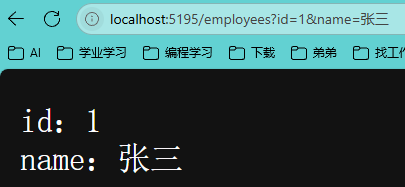
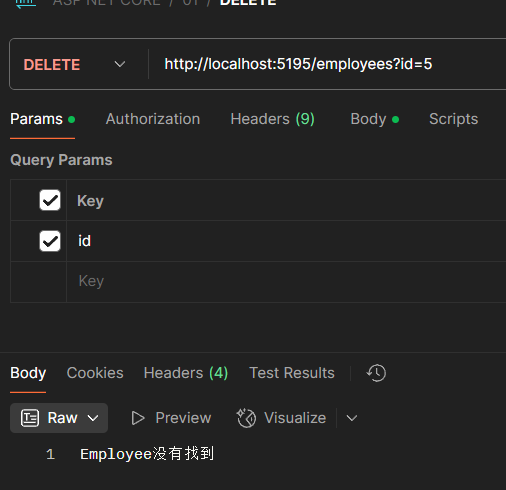
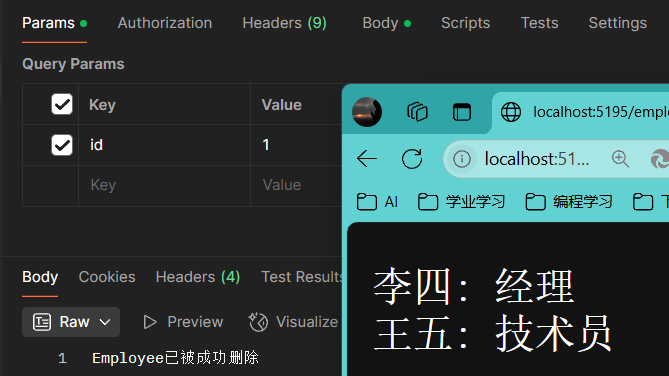
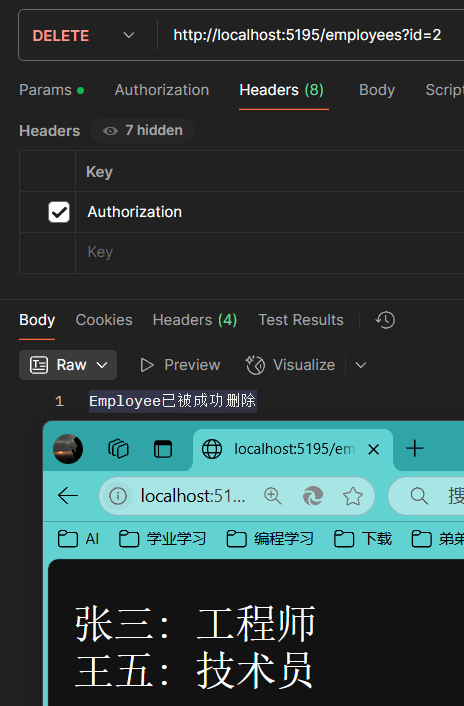
6、ASP.NET应用(Http DELETE) 使用路径字符串/查询字符串(?键=值&键=值)、Body传递信息
1 2 3 4 5 6 7 8 9 10 11 12 13 14 15 16 using System.Text.Json;var builder = WebApplication.CreateBuilder(args );var app = builder.Build();app.Run(async (HttpContext context) => { context.Response.ContentType = "text/plain; charset=utf-8" ; foreach (var key in context.Request.Query.Keys) { await context.Response.WriteAsync($"{key} :{context.Request.Query[key]} \r\n" ); } }); app.Run();
1 2 3 4 5 6 7 8 9 10 11 12 13 14 15 16 17 18 19 20 21 22 23 24 25 26 27 28 29 30 31 32 33 34 35 36 37 38 39 40 41 42 43 44 45 46 47 48 49 50 51 52 53 54 55 56 57 58 59 60 61 62 63 64 65 66 67 68 69 70 71 72 73 74 75 76 77 78 79 80 81 82 83 84 85 86 87 88 89 90 91 92 93 94 95 96 97 98 99 100 101 102 103 104 105 106 107 108 109 110 111 112 113 114 115 116 117 118 119 120 121 122 123 124 125 126 127 128 129 130 131 132 133 134 135 136 137 138 139 140 141 142 143 144 145 146 147 148 149 150 151 152 153 154 155 156 using System.Text.Json;var builder = WebApplication.CreateBuilder(args );var app = builder.Build();app.Run(async (HttpContext context) => { context.Response.ContentType = "text/plain; charset=utf-8" ; if (context.Request.Method == "GET" ) { if (context.Request.Path.StartsWithSegments("/" )) { await context.Response.WriteAsync($"该请求的方法是{context.Request.Method} \r\n" ); await context.Response.WriteAsync($"该请求的路径是{context.Request.Path} \r\n" ); await context.Response.WriteAsync($"\r\n该请求的请求头有\r\n" ); foreach (var key in context.Request.Headers.Keys) { await context.Response.WriteAsync($"{key} :{context.Request.Headers[key]} \r\n" ); } await context.Response.WriteAsync($"该请求的请求体是{context.Request.Body} \r\n" ); } else if (context.Request.Path.StartsWithSegments("/employees" )) { var employees = EmployeesRepository.GetEmployees(); foreach (var employee in employees) { await context.Response.WriteAsync($"{employee.Name} : {employee.Position} \r\n" ); } } } else if (context.Request.Method == "POST" ) { if (context.Request.Path.StartsWithSegments("/employees" )) { using var reader = new StreamReader(context.Request.Body); var body = await reader.ReadToEndAsync(); var employee = JsonSerializer.Deserialize<Employee>(body); EmployeesRepository.AddEmployees(employee); } } else if (context.Request.Method == "PUT" ) { if (context.Request.Path.StartsWithSegments("/employees" )) { using var reader = new StreamReader(context.Request.Body); var body = await reader.ReadToEndAsync(); var employee = JsonSerializer.Deserialize<Employee>(body); var result = EmployeesRepository.UpdateEmployee(employee); if (result) { await context.Response.WriteAsync("Employee已经更新了" ); } else { await context.Response.WriteAsync("Employee没有找到" ); } } } else if (context.Request.Method == "DELETE" ) { if (context.Request.Path.StartsWithSegments("/employees" )) { if (context.Request.Query.ContainsKey("id" )) { var id = context.Request.Query["id" ]; if (int .TryParse(id, out int employeeId)) { var result = EmployeesRepository.DeleteEmployee(employeeId); if (result) { await context.Response.WriteAsync("Employee已被成功删除" ); } else { await context.Response.WriteAsync("Employee没有找到" ); } } } } } }); app.Run(); static class EmployeesRepository { private static List<Employee> employees = new List<Employee> { new Employee(1 , "张三" , "工程师" , 60000 ), new Employee(2 , "李四" , "经理" , 75000 ), new Employee(3 , "王五" , "技术员" , 50000 ) }; public static List<Employee> GetEmployees () public static void AddEmployees (Employee? employee ) { if (employee is not null ) { employees.Add(employee); } } public static bool UpdateEmployee (Employee? employee ) { if (employee is not null ) { var emp = employees.FirstOrDefault(x => x.Id == employee.Id); if (emp is not null ) { emp.Name = employee.Name; emp.Position = employee.Position; emp.Salary = employee.Salary; return true ; } } return false ; } public static bool DeleteEmployee (int id { var employee = employees.FirstOrDefault(x => x.Id == id); if (employee is not null ) { employees.Remove(employee); return true ; } return false ; } } public class Employee { public int Id { get ; set ; } public string Name { get ; set ; } public string Position { get ; set ; } public double Salary { get ; set ; } public Employee (int id, string name, string position, double salary { Id = id; Name = name; Position = position; Salary = salary; } }
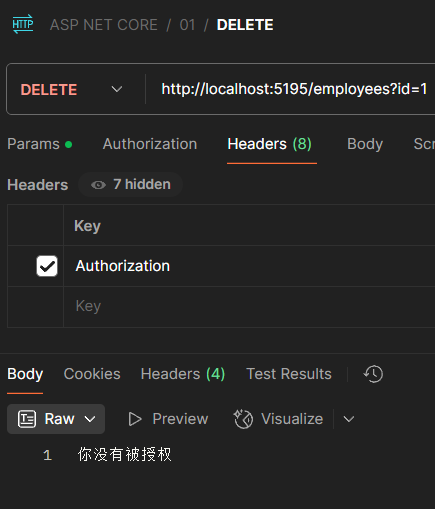
在DELETE添加授权验证为请求头中包含”Authorization=李“
1 2 3 4 5 6 7 8 9 10 11 12 13 14 15 16 17 18 19 20 21 22 23 24 25 26 27 28 29 30 31 32 33 34 35 36 37 38 39 40 41 42 43 44 45 46 47 48 49 50 51 52 53 54 55 56 57 58 59 60 61 62 63 64 65 66 67 68 69 70 71 72 73 74 75 76 77 78 79 80 81 82 83 84 85 86 87 88 89 90 91 92 93 94 95 96 97 98 99 100 101 102 103 104 105 106 107 108 109 110 111 112 113 114 115 116 117 118 119 120 121 122 123 124 125 126 127 128 129 130 131 132 133 134 135 136 137 138 139 140 141 142 143 144 145 146 147 148 149 150 151 152 153 154 155 156 157 158 159 160 161 162 163 164 using System.Text.Json;var builder = WebApplication.CreateBuilder(args );var app = builder.Build();app.Run(async (HttpContext context) => { context.Response.ContentType = "text/plain; charset=utf-8" ; if (context.Request.Method == "GET" ) { if (context.Request.Path.StartsWithSegments("/" )) { await context.Response.WriteAsync($"该请求的方法是{context.Request.Method} \r\n" ); await context.Response.WriteAsync($"该请求的路径是{context.Request.Path} \r\n" ); await context.Response.WriteAsync($"\r\n该请求的请求头有\r\n" ); foreach (var key in context.Request.Headers.Keys) { await context.Response.WriteAsync($"{key} :{context.Request.Headers[key]} \r\n" ); } await context.Response.WriteAsync($"该请求的请求体是{context.Request.Body} \r\n" ); } else if (context.Request.Path.StartsWithSegments("/employees" )) { var employees = EmployeesRepository.GetEmployees(); foreach (var employee in employees) { await context.Response.WriteAsync($"{employee.Name} : {employee.Position} \r\n" ); } } } else if (context.Request.Method == "POST" ) { if (context.Request.Path.StartsWithSegments("/employees" )) { using var reader = new StreamReader(context.Request.Body); var body = await reader.ReadToEndAsync(); var employee = JsonSerializer.Deserialize<Employee>(body); EmployeesRepository.AddEmployees(employee); } } else if (context.Request.Method == "PUT" ) { if (context.Request.Path.StartsWithSegments("/employees" )) { using var reader = new StreamReader(context.Request.Body); var body = await reader.ReadToEndAsync(); var employee = JsonSerializer.Deserialize<Employee>(body); var result = EmployeesRepository.UpdateEmployee(employee); if (result) { await context.Response.WriteAsync("Employee已经更新了" ); } else { await context.Response.WriteAsync("Employee没有找到" ); } } } else if (context.Request.Method == "DELETE" ) { if (context.Request.Path.StartsWithSegments("/employees" )) { if (context.Request.Query.ContainsKey("id" )) { var id = context.Request.Query["id" ]; if (int .TryParse(id, out int employeeId)) { if (context.Request.Headers["Authorization" ] == "li" ) { var result = EmployeesRepository.DeleteEmployee(employeeId); if (result) { await context.Response.WriteAsync("Employee已被成功删除" ); } else { await context.Response.WriteAsync("Employee没有找到" ); } } else { await context.Response.WriteAsync("你没有被授权" ); } } } } } }); app.Run(); static class EmployeesRepository { private static List<Employee> employees = new List<Employee> { new Employee(1 , "张三" , "工程师" , 60000 ), new Employee(2 , "李四" , "经理" , 75000 ), new Employee(3 , "王五" , "技术员" , 50000 ) }; public static List<Employee> GetEmployees () public static void AddEmployees (Employee? employee ) { if (employee is not null ) { employees.Add(employee); } } public static bool UpdateEmployee (Employee? employee ) { if (employee is not null ) { var emp = employees.FirstOrDefault(x => x.Id == employee.Id); if (emp is not null ) { emp.Name = employee.Name; emp.Position = employee.Position; emp.Salary = employee.Salary; return true ; } } return false ; } public static bool DeleteEmployee (int id { var employee = employees.FirstOrDefault(x => x.Id == id); if (employee is not null ) { employees.Remove(employee); return true ; } return false ; } } public class Employee { public int Id { get ; set ; } public string Name { get ; set ; } public string Position { get ; set ; } public double Salary { get ; set ; } public Employee (int id, string name, string position, double salary { Id = id; Name = name; Position = position; Salary = salary; } }
8、ASP.NET应用逻辑重构 应当是先确定访问的路由,再确定访问的方法,顺序不要颠倒
1 2 3 4 5 6 7 8 9 10 11 12 13 14 15 16 17 18 19 20 21 22 23 24 25 26 27 28 29 30 31 32 33 34 35 36 37 38 39 40 41 42 43 44 45 46 47 48 49 50 51 52 53 54 55 56 57 58 59 60 61 62 63 64 65 66 67 68 69 70 71 72 73 74 75 76 77 78 79 80 81 82 83 84 85 86 87 88 89 90 91 92 93 94 95 96 97 98 99 100 101 102 103 104 105 106 107 108 109 110 111 112 113 114 115 116 117 118 119 120 121 122 123 124 125 126 127 128 129 130 131 132 133 134 135 136 137 138 139 140 141 142 143 144 145 146 147 148 149 150 151 152 153 154 155 using System.Text.Json;var builder = WebApplication.CreateBuilder(args );var app = builder.Build();app.Run(async (HttpContext context) => { context.Response.ContentType = "text/plain; charset=utf-8" ; if (context.Request.Path.StartsWithSegments("/" )) { await context.Response.WriteAsync($"该请求的方法是{context.Request.Method} \r\n" ); await context.Response.WriteAsync($"该请求的路径是{context.Request.Path} \r\n" ); await context.Response.WriteAsync($"\r\n该请求的请求头有\r\n" ); foreach (var key in context.Request.Headers.Keys) { await context.Response.WriteAsync($"{key} :{context.Request.Headers[key]} \r\n" ); } await context.Response.WriteAsync($"该请求的请求体是{context.Request.Body} \r\n" ); } else if (context.Request.Path.StartsWithSegments("/employees" )) { if (context.Request.Method == "GET" ) { var employees = EmployeesRepository.GetEmployees(); foreach (var employee in employees) { await context.Response.WriteAsync($"{employee.Name} : {employee.Position} \r\n" ); } } else if (context.Request.Method == "POST" ) { using var reader = new StreamReader(context.Request.Body); var body = await reader.ReadToEndAsync(); var employee = JsonSerializer.Deserialize<Employee>(body); EmployeesRepository.AddEmployees(employee); } else if (context.Request.Method == "PUT" ) { using var reader = new StreamReader(context.Request.Body); var body = await reader.ReadToEndAsync(); var employee = JsonSerializer.Deserialize<Employee>(body); var result = EmployeesRepository.UpdateEmployee(employee); if (result) { await context.Response.WriteAsync("Employee已经更新了" ); } else { await context.Response.WriteAsync("Employee没有找到" ); } } else if (context.Request.Method == "DELETE" ) { if (context.Request.Query.ContainsKey("id" )) { var id = context.Request.Query["id" ]; if (int .TryParse(id, out int employeeId)) { if (context.Request.Headers["Authorization" ] == "li" ) { var result = EmployeesRepository.DeleteEmployee(employeeId); if (result) { await context.Response.WriteAsync("Employee已被成功删除" ); } else { await context.Response.WriteAsync("Employee没有找到" ); } } else { await context.Response.WriteAsync("你没有被授权" ); } } } } } }); app.Run(); static class EmployeesRepository { private static List<Employee> employees = new List<Employee> { new Employee(1 , "张三" , "工程师" , 60000 ), new Employee(2 , "李四" , "经理" , 75000 ), new Employee(3 , "王五" , "技术员" , 50000 ) }; public static List<Employee> GetEmployees () public static void AddEmployees (Employee? employee ) { if (employee is not null ) { employees.Add(employee); } } public static bool UpdateEmployee (Employee? employee ) { if (employee is not null ) { var emp = employees.FirstOrDefault(x => x.Id == employee.Id); if (emp is not null ) { emp.Name = employee.Name; emp.Position = employee.Position; emp.Salary = employee.Salary; return true ; } } return false ; } public static bool DeleteEmployee (int id { var employee = employees.FirstOrDefault(x => x.Id == id); if (employee is not null ) { employees.Remove(employee); return true ; } return false ; } } public class Employee { public int Id { get ; set ; } public string Name { get ; set ; } public string Position { get ; set ; } public double Salary { get ; set ; } public Employee (int id, string name, string position, double salary { Id = id; Name = name; Position = position; Salary = salary; } }
9、ASP.NET应用(HTTP Response)